

If you aren't tagging links, you're guessing. And in 2026, guessing does not secure a budget.
Observing mine but also how other marketing teams operate, I see a recurring point of failure. The strategy is often brilliant, the creator selection is precise, and the creative execution is compelling. But the tracking infrastructure breaks under pressure. Buyers and performance marketers want rooted demonstrations of ROI, not just a vision of brand awareness. They need to know that the data pipeline connecting an influencer's post to a final conversion is secure.
The reality of our industry today is strictly quantitative. Influencer-driven spend jumped 51% during Cyber Week 2025. We are looking at a channel that hit $33 billion in global spend last year. Yet, despite 74% of brands moving substantial budgets into creator programs in 2026, only about 20% actually track customer acquisition cost (CAC) from these campaigns.
.png?width=500&height=286&name=Graphs%20(1).png)
This gap between spend and measurement is an operational bottleneck. When attribution is messy, the perceived risk of the channel increases. To reduce that risk, you need a rigid, standardised system for link tracking.
This guide breaks down the exact technical infrastructure required to master UTM tracking for influencer attribution, integrate it flawlessly into Google Analytics 4 (GA4), and tie it into your affiliate and creator workflows without relying on chaotic spreadsheets.
Influencer marketing has fully converged with performance media. Today, performance-based compensation is replacing flat fees with hybrid models, combining base rates with commissions, becoming the standard.
/campaign-reports-slider-tabs-kpis-image-composition.webp?width=800&height=500&name=campaign-reports-slider-tabs-kpis-image-composition.webp)
To operate in this environment, data analysts and performance marketers must capture the exact source of every click. This is where influencer marketing overlaps directly with affiliate marketing. Both require identical operational rigor: you need to know who drove the traffic, where the traffic originated, what content format was used, and which overarching campaign it belongs to.
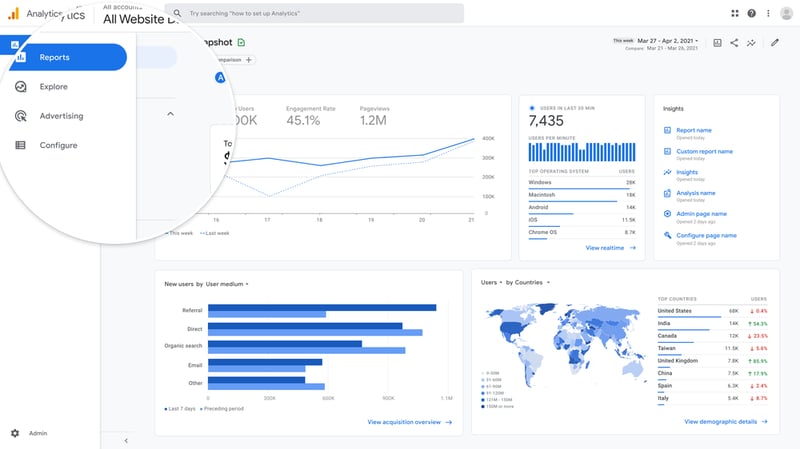
If your tracking taxonomy is inconsistent, your GA4 reports will fragment. A single uppercase letter or misplaced space in a tracking link can create phantom entries in your data, pushing valuable conversions into the dreaded Unassigned traffic bucket. Teams that standardize their attribution models and tracking systems see a massive reduction in data leakage, in fact, 73% of high-performing marketing teams now enforce standardised tracking across all channels.
.png?width=500&height=345&name=Graphs%20(2).png)
The technical solution is entirely reliant on how you structure your UTM (Urchin Tracking Module) parameters.
Before generating a single link, you must define a strict naming convention. Workflows matter more than features. If you give a team a UTM builder without a playbook, you will end up with corrupted data.
Here is the exact framework we see the most successful operations teams deploy.
|
Parameter |
Function |
Standardized Input Example |
|
utm_source |
The specific platform driving traffic |
instagram, tiktok, youtube, linkedin |
|
utm_medium |
The marketing channel or methodology |
influencer, affiliate, social |
|
utm_campaign |
The overarching initiative or timeframe |
summer_launch_26, black_friday |
|
utm_term |
The specific creator's identifier |
handle_name, creator_id_405 |
|
utm_content |
The specific content format or placement |
ig_story_1, yt_description, reel |
Notice the intentional formatting in the examples above. GA4 treats UTM values as case-sensitive. If one campaign manager types Instagram and another types instagram, GA4 registers two completely separate traffic sources.
To ensure data integrity, the workflow must be procedural. If you skip a step, the attribution model fails.
Before running any campaign, navigate to GA4 > Admin > Data Display > Channel Grouping. Ensure your chosen utm_medium (e.g., "influencer" or "affiliate") maps correctly to a channel group. If you use custom mediums without defining them here, your traffic defaults to the "Unassigned" black hole.
Assign the distinct utm_source, utm_medium, and utm_campaign values. For a product launch on TikTok, the string must uniformly read ?utm_source=tiktok&utm_medium=influencer&utm_campaign=q3_product_launch.
Use utm_term to isolate the individual influencer. If you are working with fifty creators, you need fifty distinct links. Example: &utm_term=sarah_styles. This allows you to filter your GA4 Traffic Acquisition reports by individual creators to calculate their specific CAC.
Use utm_content to differentiate the placement. An Instagram Story drives entirely different user behavior than a static feed post or a Reel. Tagging &utm_content=ig_story_24h versus &utm_content=link_in_bio allows you to analyze which format yields the highest Average Order Value (AOV).
Open the tagged link in an incognito window. Open Chrome DevTools, navigate to the Network tab, and verify that the UTM parameters survive any site redirects. Finally, check the GA4 DebugView to confirm the session_source and session_campaign populate correctly.
Theory is fine, but real user behavior dictates strategy. Let us look at two operational realities from the past year.
Last year, we observed a mid-market e-commerce brand transition away from macro-influencers toward a network of 150 micro-creators. Micro and nano influencers consistently outperform larger accounts in engagement and cost-efficiency.
/campaign-reports-hero-image-composition%20OPT.webp?width=800&height=500&name=campaign-reports-hero-image-composition%20OPT.webp)
The operational bottleneck was managing 150 different tracking links. Through enforcing a strict UTM taxonomy, the data analysts could pull a single report in GA4 using Session campaign as the primary dimension and Session manual ad content (utm_content) as the secondary. The data revealed a hard truth, while Instagram Reels drove 70% of the top-of-funnel traffic, Instagram Stories with a direct CTA drove 85% of the actual conversions. Without differentiating utm_content, the brand would have blindly reinvested in Reels, burning budget on low-intent traffic.
B2B influencer marketing requires patience. A SaaS company leveraging LinkedIn creators cannot rely on a first-click attribution model. Enterprise sales cycles take months.
In this scenario, tracking is about understanding the customer journey. By ensuring utm_source=linkedin and utm_medium=influencer, the Ops team utilized GA4's Data-Driven Attribution model. This allowed them to see that while a LinkedIn creator's post rarely resulted in an immediate software demo request, it acted as a critical mid-funnel touchpoint that accelerated deals already in the pipeline.
The product team at Influencity spends a significant amount of time studying how agencies and brands actually operate. We noticed a recurring point of friction: teams were building perfect UTM spreadsheets, but the manual distribution and tracking of those links caused endless errors. Workflows matter more than features.
We did not build our Campaign tool in a vacuum. The engineering and product teams designed it to pull live content automatically, retrieving public posts and even expired Stories without requiring the influencer to manually opt-in or authenticate.
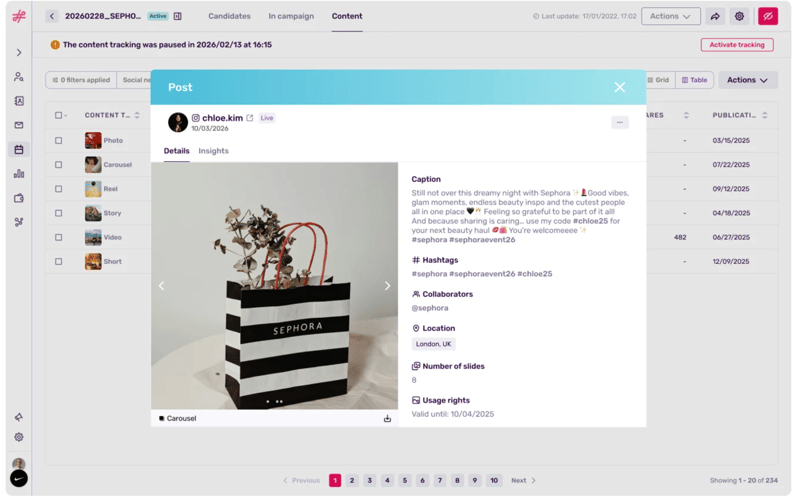
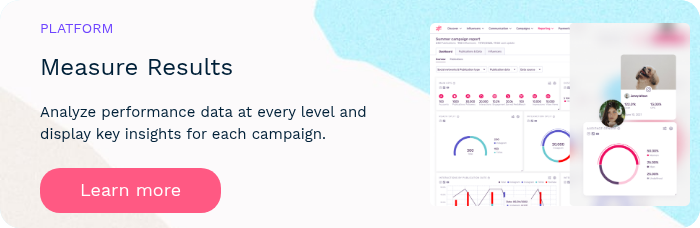
When you generate UTM tracking links and affiliate codes, centralising that data is non-negotiable. Instead of cross-referencing a messy Google Sheet with your GA4 dashboard, Influencity allows you to input those tracked links directly into the reports feature. The platform automatically aggregates the click data, audience insights, and metrics in real-time.
Furthermore, our Link in Bio tool solves the specific challenge of multi-touch attribution. Instead of a creator constantly swapping out UTM links in their profile, they use one centralized page.
Brands can track traffic, custom events, and clicks across multiple destinations, whether an affiliate link, a product page, or a promotional video, all funneling structured, clean data back into your analytics environment.
I cannot take credit for the elegance of this system, our engineering team built it strictly based on the pain points our users faced daily.
Attribution is not a marketing problem; it is a data architecture problem. As brands shift toward always-on creator programs and hybrid compensation models, the infrastructure supporting those campaigns must be flawless.
Standardise your taxonomy. Enforce lowercase parameters. Validate your links. And transition your team away from manual spreadsheets toward centralized campaign tools that auto-pull data accurately. When you remove the friction from the workflow, you remove the doubt from the boardroom.
UTM (Urchin Tracking Module) tracking involves adding specific text codes to the end of a URL to track the performance of campaigns and content. In influencer marketing, it allows brands to identify exactly which creator, platform, and post generated a specific website visit or sale.
Attribution models determine how credit for a sale is assigned to touchpoints in conversion paths. For influencer campaigns, you can use first-click attribution (if the creator introduces the brand), last-click attribution (if they drive the final sale), or data-driven attribution in GA4 to understand how the creator assisted a conversion across a longer buyer journey.
GA4 categorizes traffic based on default channel groupings. If your utm_medium is set to "influencer" but you haven't created a Custom Channel Grouping in your GA4 Admin settings to define what "influencer" means, Google will fail to recognize it and default the traffic to the "Unassigned" bucket.
To accurately measure ROI measurement, calculate the total revenue generated directly from the creator's tracking links (and exclusive promo codes) and divide it by the total cost of the campaign (creator fees plus product costs). Clean link tracking is mandatory to capture the revenue side of this equation accurately.
No. You should differentiate content formats using the utm_content parameter. An Instagram Story, a Reel, and a YouTube description yield different intent and conversion rates. Tagging them separately (e.g., utm_content=ig_story vs. utm_content=reel) allows you to analyze which format drives the most efficient results.











%20and%20How%20Can%20They%20Benefit%20Your%20Brand%20article.jpg?length=628&name=What%20Are%20Key%20Opinion%20Leaders%20(KOL)%20and%20How%20Can%20They%20Benefit%20Your%20Brand%20article.jpg)









.png?length=628&name=Pop-up%20image%201200%C3%97800@1x%20(1).png)