





Skip to content
Book a Call
Start Your Trial
social-media-inbox-hero-social-hub-composition
SOCIAL MEDIA INBOX

One Smart Social Inbox

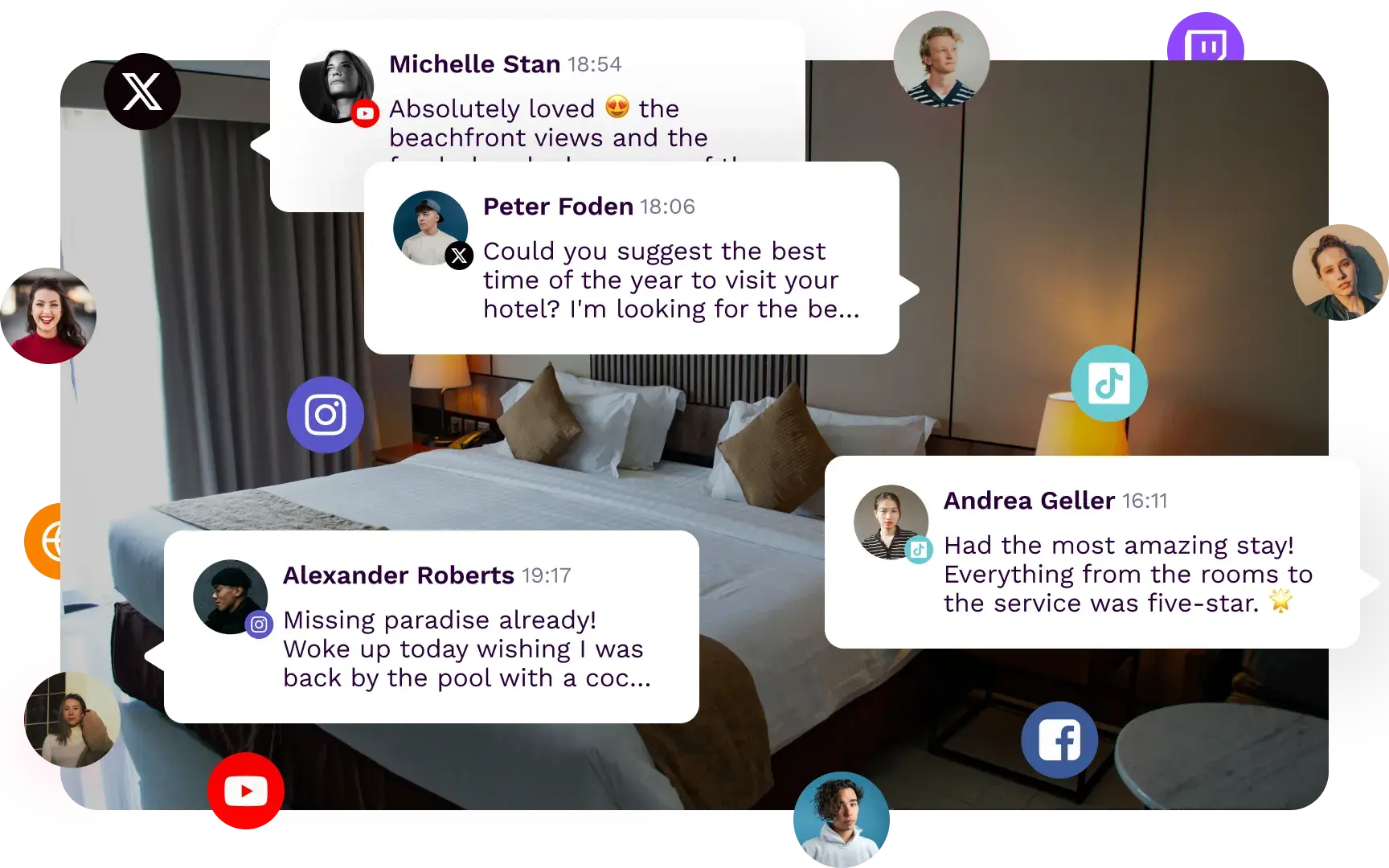
A time saving all in one inbox to manage all your social media messages and comments

SOCIAL MEDIA INBOX

One Smart Social Inbox

A time saving all in one inbox to manage all your social media messages and comments.

social-media-inbox-hero-social-hub-composition

Use Influencity’s Social Media Inbox Management Tool to Check and Respond to All Your DMs, Comments and Reviews

Imagine asking a store clerk a question... only to be ignored

Let’s be real, when people comment, message, or ask a question on your social channels, they expect a response.

social-media-inbox-alternating-content-social-hub-image-composition-elminate-your-team-manual-tasks

We Give You the Means and You Provide the Answers

Humanize customer connections and elevate your customer care with a single inbox management tool.

social-media-inbox-alternating-content-social-hub-image-composition-people-conversation-social

Eliminate Your Team's Manual Tasks

The holy grail for managing your social media messages

Cross-Channel Inbox

Review your messages by social media channel, or all at once.

Enhance Your Responses

Reply instantly, load saved responses, add notes, or mark messages for later.

Work in a Team

Give access to your collaborators to moderate messages.

Accelerate Quality Care

Search by keyword to quickly size up messages, comments, and reviews.

Master Your Community Management Efforts with Other Social Media Tools

icon-buble-blue-document-technical-pie-chart
Social Media Analytics

Monitor and track your brand account to make the right decisions, regardless of digital savviness.

Learn More
icon-buble-blue-calendar-tasks
Content Planner

Plan, organize, and schedule social content across platforms to publish a month’s content in hours.

Learn More
icon-buble-blue-link
Link-in-Bio

Drive traffic to your website, blog, or other content via social media with a link-in-bio tool. 

Learn More
icon-buble-chart-combined-coin
Social Ads

Create, manage, and optimize high-performing ad campaigns--all in one place.

Learn More

How a Social Media Inbox Works

A social media inbox brings your messages, comments, and reviews into one shared workspace so teams can respond faster and stay organized across channels.

icon-buble-pink-conection-email

View Conversations in One Place

View Conversations in One Place

Monitor incoming messages and interactions across social platforms without switching between native apps.

icon-buble-pink-email-close

Respond Faster as a Team

Respond Faster as a Team

Assign tasks, add notes, and reply efficiently from one centralized inbox.

icon-buble-pink-folder-open-multiple-files

Keep Community Management Organized

Keep Community Management Organized

Track conversations, save responses, and make sure no important message gets missed.

icon-buble-pink-chart-combined

Improve Response Quality

Improve Response Quality

Use a structured workflow to deliver faster, more consistent support across social channels.

socialhub-hero-bottom-image-composition-calendar-platform

Bokksu

Hiroshi Miki, Influencer Associate

I’ve had a great experience using Influencity. It’s a user-friendly platform that makes managing influencer campaigns smooth and efficient. One of its biggest strengths is the valuable performance insights it provides, which have helped us optimize our collaborations and make more strategic decisions. I highly recommend it to anyone looking to streamline and improve their influencer marketing efforts.

SocialMediaInbox_Testimonials2

Frequently Asked Questions (FAQs)

icon-buble-pink-user-target

How does Influencity's Social Inbox simplify community management?

How does Influencity's Social Inbox simplify community management?

Influencity's Social Inbox centralizes yoursocial media conversations into a single workspace, allowing your team to manage comments, mentions, direct messages, and replies across all your connected social accounts without constantly switching between native platforms.

Every interaction is organized in one place, helping community managers respond faster while maintaining complete visibility over ongoing conversations.

icon-buble-pink-mobile-content-search-heart

Which social media networks does the Inbox centralize?

Which social media networks does the Inbox centralize?

The Inbox aggregates inbound data across the core commercial networks. You can manage:

  • Facebook: Comments and private messages
  • Instagram: Comments and private messages
  • TikTok (Business Accounts): Comments only
  • X (Twitter): Private messages
  • LinkedIn (Company Profiles): Comments
  • Google Business Profile: Reviews
  • YouTube: Comments on long and short videos


icon-buble-pink-users-likes

Why is a Social Inbox integrated into an influencer marketing platform?

Why is a Social Inbox integrated into an influencer marketing platform?

Earned media and owned media operate in a continuous loop. When your influencer roster posts about your product, your brand's social channels experience a massive surge in inbound traffic.

If your influencer management software and your community inbox are disconnected, your team cannot efficiently convert that traffic into loyalty. Unifying them allows you to launch the campaign and manage the reaction quicly and easily.

icon-buble-pink-users-select

Can multiple team members collaborate on the same social inbox?

Can multiple team members collaborate on the same social inbox?

Absolutely. The Social Inbox is built for collaborative teams. Everyone has the same access so you can assign conversations to specific teammates.

This prevents duplicate replies, improves team coordination, and creates a more efficient customer support workflow.

icon-buble-pink-chart-pie-half-stars

How can I prioritize the most important conversations?

How can I prioritize the most important conversations?

Influencity includes advanced filtering options that allow you to organize conversations by platform, social account, status, and other criteria.

This makes it easy to identify unanswered messages, prioritize urgent requests, manage high conversation volumes, and ensure that no customer interaction is lost on you.

icon-buble-pink-mobile-content-search-heart

Can I speed up responses to frequently asked questions?

Can I speed up responses to frequently asked questions?

Yes. The Social Inbox includes Saved Replies, allowing your team to create reusable response templates for common questions or recurring interactions.

You can reply with consistent messaging in just a few clicks, reducing response times while maintaining brand consistency.

icon-buble-pink-mobile-content-search-heart

Does the Social Inbox keep a history of customer conversations?

Does the Social Inbox keep a history of customer conversations?

Yes. Every interaction remains organized within the Social Inbox, giving your team a centralized record of previous conversations across your connected social channels.

This provides valuable context when responding to returning customers, improves collaboration between team members, and helps deliver a more personalized customer experience.

icon-buble-pink-mobile-content-search-heart

Can we use the Inbox to reply to comments directly from the platform?

Can we use the Inbox to reply to comments directly from the platform?

Absolutely. The Inbox is fully interactive. You can execute the responses. Reply to comments, answer direct messages, and resolve support queries directly within the Influencity interface.

Once a conversation is finished, you simply mark it as resolved, clearing your queue and maintaining absolute operational zero-inbox status.
monitoring-hero-bottom-image-composition-calendar-platform

And, This Is Only the Tip of the Iceberg

Influencity is more than just a social media tool. Listen to your customers, keep an eye on competitors and manage your influencer campaigns from start to finish, all in one place.

socialhub-hero-bottom-image-composition-calendar-platform